
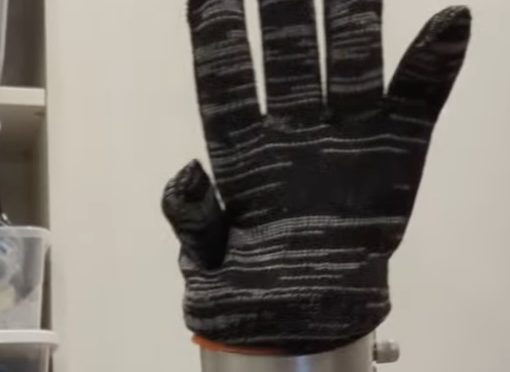
(Using the moveJ command, just offsetting from the starting pose).
This is mostly notes to myself — assuming most people don’t have a UR5 arm to just play around with.
And also to maintain enthusiasm about robots (sometimes hard even for me in a vacuum) and what I’m doing (easy after each task I complete to go “oh, that wasn’t exciting at all”. I did that with my paper(s), thesis, and degrees, so I can definitely do it with any hacked project haha).
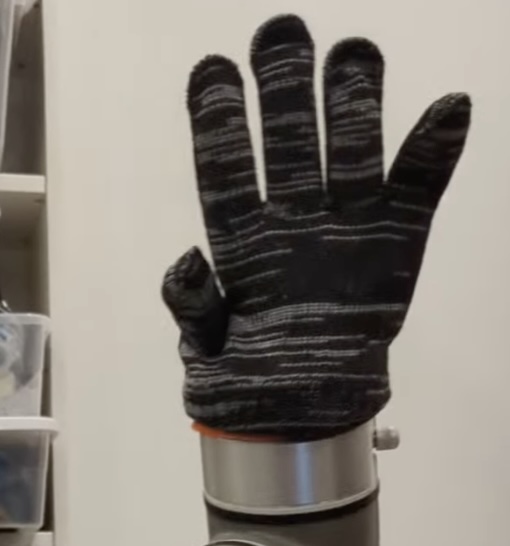
Create the hand
- Find a normal glove and a latex glove, put both on
- Blow up the latex glove and tie it off
- Put glove over end effector
Connecting via Python: ur-rtde library
Back in the day I used py urx — apparently now the standard is ur-rtde as a pip install python library. (whoo!)
The robot talks over TCP/IP. If you run a real time kernel, then the communication is safe from interference from e.g. web browsing. I chose to not install a RTK for my startup script as I heard it’s a major pain.
Per the UR5 manual about RTDE:
https://docs.universal-robots.com/tutorials/communication-protocol-tutorials/rtde-guide.html
“The Real-Time Data Exchange (RTDE) interface provides a way to synchronize external applications with the UR controller over a standard TCP/IP connection, without breaking any real-time properties of the UR controller. This functionality is useful for interacting with fieldbus drivers (e.g., Ethernet/IP), manipulating robot I/O, and plotting robot status (e.g., robot trajectories). The RTDE interface is by default available when the UR controller is running.”
https://sdurobotics.gitlab.io/ur_rtde/guides/guides.html re: RTKernel recommendations, which I promptly ignored (I did put my laptop on “performance” and not “balanced” mode though).
Connect & Run Code
Install the libraries. Probably some of the below is redundant, but hey it worked.
uv venv --python=3.9
apt install cmake build-essential pyhton3-dev libboost-all-dev
uv pip install wheel
uv pip install ur-rtde
Connect to robot
Connect to robot:
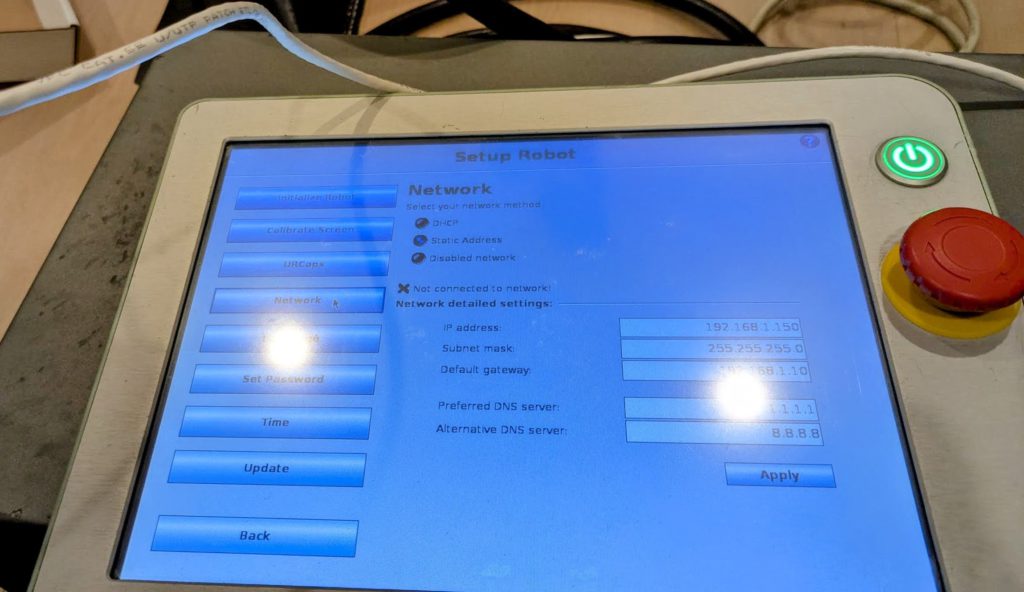
I plugged in ethernet to my laptop via a USB-C adapter. For whatever reason at first nothing would show up. I did mess around with the subnet settings on my linux laptop network ethernet settings. Not sure if that’s what fixed it, or rebooting, etc. But in the end I didn’t need to connect my robot to my router, just direct to my laptop.
Sanity check: Is network connection working?
( Have to admit, the word salad machines do decently at this basic ur5 stuff. Though they probably gave me a lot of misconceptions … )
Credit to https://gist.github.com/lauzadis
#!/usr/bin/env python3
import rtde_control
import rtde_receive
import time

ROBOT_IP = "192.168.1.150"

def test_ur_rtde():
    try:
        print(f"Connecting to UR5 at {ROBOT_IP}...")

        # Connect to receive interface (read robot state)
        rtde_r = rtde_receive.RTDEReceiveInterface(ROBOT_IP)

        # Read some basic robot data
        actual_q = rtde_r.getActualQ()  # Joint positions
        actual_tcp = rtde_r.getActualTCPPose()  # TCP position

        print("\n--- Robot State ---")
        print(f"Joint positions: {[f'{q:.3f}' for q in actual_q]}")

        # Connect to control interface
        rtde_c = rtde_control.RTDEControlInterface(ROBOT_IP)
        print("\n Successfully connected to RTDE control interface")

        # Cleanup
        rtde_c.stopScript()
        rtde_r.disconnect()
        rtde_c.disconnect()
        return True

    except Exception as e:
        print(f"\nError: {e}")
        print("\nTroubleshooting:")
        print("- Make sure the robot is powered on")
        print("- Check that RTDE is enabled on the robot")
        print("- Verify IP address is correct")
        return False

if __name__ == "__main__":
    # Make sure ur-rtde is installed
    try:
        import rtde_control
        import rtde_receive
    except ImportError:
        print("ur-rtde not installed.")
        print("Run: pip3 install ur-rtde or similar")
        exit(1)

    test_ur_rtde()
Write to the robot, waving the arm
We’ll use the moveJ command which takes a list of 6 floats in radians as well as the velocity and acceleration (in rad/s) and whether the command should be asynchronous or not — if set to False, the robot will wait for the first command to complete.
Move the robot using freedrive mode on the back of the pendant to a good starting position.
#!/usr/bin/env python3
import rtde_control
import rtde_receive
import time

ROBOT_IP = "192.168.1.150"

def test_ur_rtde():
    try:
        print(f"Connecting to UR5 at {ROBOT_IP}...")

        rtde_r = rtde_receive.RTDEReceiveInterface(ROBOT_IP)
        print("Successfully connected to RTDE *receive* interface")

        # Read some basic robot data
        home_q = rtde_r.getActualQ()  # Joint positions
        robot_mode = rtde_r.getRobotMode()  # Robot mode

        print("\n--- Robot State ---")
        print(f"Joint positions: {[f'{q:.3f}' for q in actual_q]}")

        # Connect to control interface
        rtde_c = rtde_control.RTDEControlInterface(ROBOT_IP)
        print("\nSuccessfully connected to RTDE *control* interface")

        target_q = home_q.copy()
        target_q[5] += 0.3  #
        target_q[4] += 0.1  #
        target_q[3] += 0.3  #
        target_q[2] += 0.2  # 0.2 radians ~= 11.5 degrees # elbow

        # Movement parameters
        velocity = 2.2      # Rad/s (0.1 Very slow)
        acceleration = 1.8  # Rad/s^2
        asynchronous = False # Set to True if you don't want the script to wait

        print(f"Moving elbow joint to {target_q[2]}...")

        # Execute the move. Repeat five times to wave.
        for i in range(5):
            rtde_c.moveJ(target_q, velocity, acceleration, asynchronous)
            rtde_c.moveJ(home_q, velocity, acceleration, asynchronous)

        print("Movement completed")

        rtde_c.stopScript()

        rtde_r.disconnect()
        rtde_c.disconnect()

        return True

    except Exception as e:
        print(f"\nError: {e}")


if __name__ == "__main__":
    # Make sure ur-rtde is installed
    try:
        import rtde_control
        import rtde_receive
    except ImportError:
        print("ur-rtde not installed.")
        exit(1)

    test_ur_rtde()
Video
yay
that was a nice afternoon’s work
(didn’t rescue my terrible surprise zero preparation interview, but hey, i have an arm now?)
Fin.
Side note: Why q?
Why do we have joint angles labeled as q?
Per reddit it may just be that generalized coordinates q are an adjacent concept to momentum p — and per reddit that is named potentially due to the calling momentum “impetus” and not confusing it with mass in p=mv.
Anyway, tl;dr I’ve as usual forgotten all the things I learned the better part of a decade ago (rip).